Author Archives: Joep

JAR vs. JPEG Repair Shop: Automated vs. Manual JPEG Repair (2026)

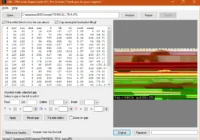
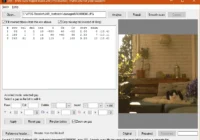
When repairing corrupted JPEGs recovered from failing SD cards or crashed hard drives, two specialized Windows utilities frequently come up: Anders Pedersen’s open-source JPEG Repair Shop (recently ported to .NET) and DiskTuna’s JAR – JPEG Auto Repair. Ported from C++ to C#/.NET with various bug fixes and enhancements, the .NET version of JPEG Repair Shop… Read More: JAR vs. JPEG Repair Shop: Automated vs. Manual JPEG Repair… »
JPEG Repair: How to Tell If a Corrupt File Can Be Recovered

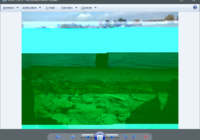
One of the most frequent questions is whether a damaged JPEG can be restored. A file is salvageable if it retains compressed image data—characterized by high entropy (close to 8 bits per byte) and random noise—even with a broken header or shifted colors. However, files filled with zeros, repeating patterns, or non-image data are permanently… Read More: JPEG Repair: How to Tell If a Corrupt File Can… »

Repair, Recover JPEGs encrypted by ransomware STOP Djvu

This article shows repair of JPEGs that fell victim of ransomware. This particular ransomware only encrypts part of the file. Due to this the JPEG header and some 150 KB of JPEG data are lost. Using a reference file and weeding encrypted data we can repair the photo.

Windows Photos: It looks like we don’t support this file format

The Windows Photos error “It looks like we don’t support this file format” usually indicates a damaged or overwritten file header. You can repair these files offline using JAR (JPEG Auto Repair) by opening the image and selecting Analyse and Repair. Step 1: Check Viewers and Avoid Risky Tools Alternative Viewers: Test the file in… Read More: Windows Photos: It looks like we don’t support this file… »

Unknown or invalid JPEG Marker

An “Unknown or invalid JPEG Marker” error means your photo viewer encountered a broken two-byte marker (starting with 0xFF) in the file header or inside the compressed image stream. You can fix this automatically using JAR (JPEG Auto Repair)—just open the damaged photo and click Analyse and Repair. Note: First, try opening the photo in… Read More: Unknown or invalid JPEG Marker »

Windows Photo Viewer: File appears to be damaged, corrupted or is too large

Update: This guide has been updated for JAR (JPEG Automatic Repair), which replaces older tools with automated header rebuilding, MCU realignment, and file diagnostics. When Windows Photo Viewer or Windows Photos displays an error stating the file is damaged, corrupted, or unsupported, first test the image in alternative viewers like IrfanView, FastStone, or the camera… Read More: Windows Photo Viewer: File appears to be damaged, corrupted or… »

Online JPEG Repair Alternative: Fix Corrupted Photos Without Uploading

Quick answer: JAR – JPEG Auto Repair repairs corrupted JPEG photos on your own computer. Your photos are never uploaded anywhere: JAR doesn’t connect to the internet at all*, not for the repair, not for the license. There are no file size or quantity limits, no account and no subscription, and the free trial shows… Read More: Online JPEG Repair Alternative: Fix Corrupted Photos Without Uploading »

Stop Treating LLMs Like Google (And How I Used One to Crack a “Forensic Mystery”)

Stop Treating LLMs Like Google (And How I Used One to Crack a “Forensic Mystery”) We’ve all seen the complaints. “LLMs hallucinate.” “They get simple things wrong.” “They just regurgitate internet folklore.” A lot of this criticism stems from a fundamental misunderstanding: people treat LLMs like a standard search engine, expecting a flawless, static answer… Read More: Stop Treating LLMs Like Google (And How I Used One… »