JPEG repair, example of a heavily corrupted photo

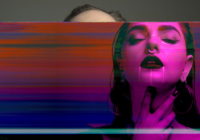
In this short blog post I show an example repair of a heavily corrupted and distorted JPEG photo. End result is far from a beautiful picture, but sometimes something is better than nothing. Specially if it is one of the few photos of a loved one that is no longer with us. This is what… Read More: JPEG repair, example of a heavily corrupted photo »

NAS Data Recovery Software, UFS Explorer

With Network Attached Storage or NAS for short becoming more popular, the demand for quality DIY solutions for NAS data recovery software increases. Common steps to recover data from a NAS Steps: Disassemble the NAS and connect the disks to a PC Run either Linux or Windows + data recovery software on the PC Work… Read More: NAS Data Recovery Software, UFS Explorer »

Extract thumbnails, JPG-Repair vs Stellar Repair for Photos

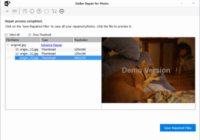
Sometimes JPEG photos simply can not be repaired because the majority of the data inside a file simply is not JPEG data. I had one of those cases earlier this week. Good thing was that a reasonably sized thumbnail could be extracted. The case: a Samsung Galaxy 5 Photos were taken using a Samsung Galaxy… Read More: Extract thumbnails, JPG-Repair vs Stellar Repair for Photos »

The volume does not contain a recognized file system – RAW file system

The error ‘The volume does not contain a recognized file system’ CHKDSK error message, is what I’d call a ‘catch-all’ error message. It is very generic and it can have multiple causes, but in essence Windows and chkdsk have trouble determining the file system on a volume whether this is on a hard disk or… Read More: The volume does not contain a recognized file system –… »

Recovered photos are corrupt – Won’t open

Update: Looking for a faster, automatic fix? While JPEG-Repair Toolkit still works great for hands-on recovery, it has a successor: JAR (JPEG Auto Repair). Built on 20+ years of manual photo recovery, JAR automatically detects missing bytes, realigns shifted bands, and fixes broken colors in one click—saving you the tedious hex and MCU-level guesswork while… Read More: Recovered photos are corrupt – Won’t open »

Bottom half of JPEG is missing or grey or solid color

There’s basically three things that can be wrong if a JPEG opens but is partially grey:

1. File is too small. Let’s an average JPEG shot with same camera and settings is 4 MB and the ones that are damaged are like 1 MB or 2 MB. Then probably half the data is simply missing. These files can not be repaired.

2. Normal file size. Either part of the file does not contain image data or file does contain image data but is interrupted by some invalid data.

If part of the file does not contain image data then this is sometimes easy to spot using a hex editor. All of a sudden ‘random’ binary data stops and changes to FF FF FF or 00 00 00 etc.. Repair: Impossible.

In case the data is however is there but it is interrupted repair is often possible. JPG-Repair tries to detect and will try to get rid of the invalid data, however this does not always work. Current version detects invalid JPEG markers, common damage due to bad sectors and some type of corruption I observed a few times with images shot with certain Samsung phones.
How to repair a corrupted JPEG photo

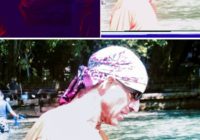
Update: This guide has been updated for JAR (JPEG Automatic Repair), which replaces my older JPG-Repair Toolkit with automated byte-level reconstruction and diagnostic tools. When a JPEG refuses to open, shows shifted bands, or turns half-grey, the first instinct is to run repair software. However, whether a photo can be repaired depends entirely on how… Read More: How to repair a corrupted JPEG photo »

Observation with regards to corrupted DNG and NEF RAW photos

Update: This guide has been updated for JAR (JPEG Automatic Repair), which replaces the older JPG-Repair Toolkit with faster, automated recovery. Nikon RAW photos (NEF) contain the raw, undeveloped sensor data from your camera. However, almost all Nikon RAW files also embed one or more standard JPEG previews inside the file—typically a small thumbnail, a… Read More: Observation with regards to corrupted DNG and NEF RAW photos »

How to recover data from corrupted RAF photos

Update: This guide has been updated for JAR (JPEG Automatic Repair), which replaces the older JPG-Repair Toolkit with faster, automated recovery. Fujifilm RAW photos (RAF) contain the raw, undeveloped sensor data from your camera. However, almost all Fujifilm RAW files also embed one or more standard JPEG previews inside the file—typically a small thumbnail and… Read More: How to recover data from corrupted RAF photos »

How to recover data from corrupted PEF photos

JPG-Repair Toolkit allows you to recover data from corrupted PEF photos (JPEG). Pentax RAW photos (PEF) contain the raw, ‘undeveloped’ sensor data. JPG-Repair Toolkit can process multiple Pentax RAW files (PEF) files in batch. Commonly Pentax RAW photos embed one or more JPEGs: a low resolution thumbnail, a medium resolution preview, and in many cases… Read More: How to recover data from corrupted PEF photos »