Tag Archives: jpeg repair

JPEG Repair: How to Tell If a Corrupt File Can Be Recovered
One of the most frequent questions is whether a damaged JPEG can be restored. A file is salvageable if it retains compressed image data—characterized by high entropy (close to 8 bits per byte) and random noise—even with a broken header or shifted colors. However, files filled with zeros, repeating patterns, or non-image data are permanently… Read More: JPEG Repair: How to Tell If a Corrupt File Can… »

Repair, Recover JPEGs encrypted by ransomware STOP Djvu

This article shows repair of JPEGs that fell victim of ransomware. This particular ransomware only encrypts part of the file. Due to this the JPEG header and some 150 KB of JPEG data are lost. Using a reference file and weeding encrypted data we can repair the photo.

Windows Photos: It looks like we don’t support this file format

The Windows Photos error “It looks like we don’t support this file format” usually indicates a damaged or overwritten file header. You can repair these files offline using JAR (JPEG Auto Repair) by opening the image and selecting Analyse and Repair. Step 1: Check Viewers and Avoid Risky Tools Alternative Viewers: Test the file in… Read More: Windows Photos: It looks like we don’t support this file… »

Unknown or invalid JPEG Marker

An “Unknown or invalid JPEG Marker” error means your photo viewer encountered a broken two-byte marker (starting with 0xFF) in the file header or inside the compressed image stream. You can fix this automatically using JAR (JPEG Auto Repair)—just open the damaged photo and click Analyse and Repair. Note: First, try opening the photo in… Read More: Unknown or invalid JPEG Marker »

Windows Photo Viewer: File appears to be damaged, corrupted or is too large

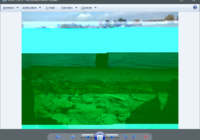
Update: This guide has been updated for JAR (JPEG Automatic Repair), which replaces older tools with automated header rebuilding, MCU realignment, and file diagnostics. When Windows Photo Viewer or Windows Photos displays an error stating the file is damaged, corrupted, or unsupported, first test the image in alternative viewers like IrfanView, FastStone, or the camera… Read More: Windows Photo Viewer: File appears to be damaged, corrupted or… »

Corrupt JPEG Files and how to fix them

In this blogpost we’ll look at: A good JPEG as point of reference JPEG header corruption and how to repair Header + part of image data damaged and repair Corruption in JPEG image data resulting in visual anomalies JPEGs beyond repair that no one likes to hear about First things first, what is repair and… Read More: Corrupt JPEG Files and how to fix them »

Wondershare, Stellar photo repair tools, scams or ..

Observation: YouTube videos and ‘honey-pot’ articles on Stellar and Wondershare website addressing the issue of grey blocks in, or half grey photos. Example: In the video we watch the miracle happen, and a few clicks later the files are repaired. Well, let me tell you, that I have tried the same with numerous files and… Read More: Wondershare, Stellar photo repair tools, scams or .. »

JpegDigger’s JPEG repair feature explained

JpegDigger features a JPEG repair option. What is this and what can it do? Repair will not per se result in a perfect image. It can however repair JPEGs to a degree where they can be opened and viewed, including their flaws. JPEG structure Let’s first look at how a JPEG file is organized internally.… Read More: JpegDigger’s JPEG repair feature explained »

JPEG Recovery Pro Editor

At the time I was researching JPEG repair some years ago, I purchased a license for JPEG Recovery Pro from ‘hketech.com‘ mainly because of it’s JPEG Recovery Editor. I got version 6.1. Recently I noticed an update to version 6.2 was available, however it appears they removed the editor now while I was hoping for… Read More: JPEG Recovery Pro Editor »