Category Archives: JPEG Repair

Recent changes to JPEG-Repair Toolkit

NEW!! JAR – JPEG Auto Repair 2.8.257 – May 19, 2025 update # JPEG-Repair, update fixes regression (“editing disabled”, failure to repaint screen after resizing window) introduced in 2.8.252 2.8.252 – May 5, 2025 update # JpegDigger bug with large drives (overflow) # JpegDigger YKUSH XS improvements # JpegDigger updated buy-now URL (MyCommerce went bankrupt)… Read More: Recent changes to JPEG-Repair Toolkit »

JPEG restart markers to the rescue

Restart markers make the difference This YouTube channel by my friend and colleague Nguyễn Vũ Hà has many great examples of JPEG-Repair being used to repair STOP/DJVU ransomware affected files. This video in particular is a great showcase on how JPEG restart markers prevent corruption propagating through the JPEG image stream. As you can see… Read More: JPEG restart markers to the rescue »

JPEG-Repair, no SOS detected

A common error message that JPEG-Repair reports is ‘no SOS detected’. I have written several posts and made videos to repair JPEG photos in case the Windows photo viewers report errors: The old Windows photo viewer: File appears to be damaged, corrupted or is too large. The new Windows Photos: It looks like we don’t… Read More: JPEG-Repair, no SOS detected »

Alternative method for half grey or truncated JPEG photo repair

There are various examples on this website of repairs of half grey or truncated JPEG images. In those cases all image data is actually present, but due to an error or corruption only a part of it is visible. If data is simply missing because for example the file is partially overwritten or cut-off, repair… Read More: Alternative method for half grey or truncated JPEG photo repair »

The corrupt JPEGs that weren’t corrupt

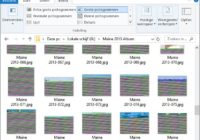
Often I am asked to repair JPEGs that can be opened but don’t display correctly. Many of those look okay for some part, but turn into a grey area at some point. Repairing these files (or recovering them as we’ll see) isn’t always straight forward and sometimes requires some detective work. Half grey photos In… Read More: The corrupt JPEGs that weren’t corrupt »

In the wild corrupted photos and their fixes

It is true that these are close to impossible to repair using PhotoShop like editors because it’s the underlying data that is corrupt. It means standard photo restoration techniques fall short as they work with the data that is available. JPEG-Repair is a tool designed to remove the corrupt data.

Recover photos from Android Micro SD Card

Probably Android phones are the most common devices to take photos with nowadays often stored on a Micro SD Card. Consequentially many lost photos will be on Android devices. Photos can be on: Internal memory (Micro) SD Card Although many want you to believe it is easy to recover the lost or deleted photos and… Read More: Recover photos from Android Micro SD Card »

JPEG photo recovery from sd card using Piriform Recuva

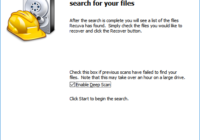
Recently I was offered a batch of corrupt JPEGs for repair that were recovered from a SD card using Piriform’s Recuva. The recovered files were not recognized by any image viewer as valid JPG files. This does not appear to be an uncommon thing. Recuva is a popular and the go-to file recovery tool for… Read More: JPEG photo recovery from sd card using Piriform Recuva »

Photos on SD card are corrupt

When you discover photos on your SD card are corrupt or the memory card itself is corrupt you should: Do as little as possible (read: nothing) with the card. Do NOT run chkdsk on the card itself! Do not format the card even if it asks you to! Instead: Create a disk image of the… Read More: Photos on SD card are corrupt »

How to fix and open recovered photos?

Unfortunately it is a common problem that you are unable to open recovered photos after using file recovery, undelete or photo recovery software on a SD card. In this post I will make some assumptions: Photos are on a memory card and therefor: File system is a variation of FAT  (FAT32, exFAT) File type is… Read More: How to fix and open recovered photos? »