Online JPEG repair alternative: fix corrupted photos without uploading them
Quick answer: JAR – JPEG Auto Repair repairs corrupted JPEG photos on your own computer. Your photos are never uploaded anywhere: JAR doesn’t connect to the internet at all, not for the repair, not for the license. There are no file size or quantity limits, no account and no subscription, and the free trial shows the complete repair before you buy.
Your photos stay on your computer
To repair a photo online, you have to upload it to someone else’s server. With JAR, nothing leaves your PC. That matters for family photos and personal pictures, and even more for photos that aren’t yours: customers’ photos, work for a client, evidence. Nobody else stores them, sees them or keeps a copy.
No limits on size or number of photos
- Full-size photos: a 24-megapixel JPEG of 10 MB or more repairs as easily as a small one. Nothing to upload, so no waiting on a slow connection.
- RAW photos: JAR takes the JPEG out of RAW files from most cameras, including damaged ones.
- A whole folder: with a Pro license, JAR repairs hundreds of photos in one run, with a log of every result.
You stay in control of the result
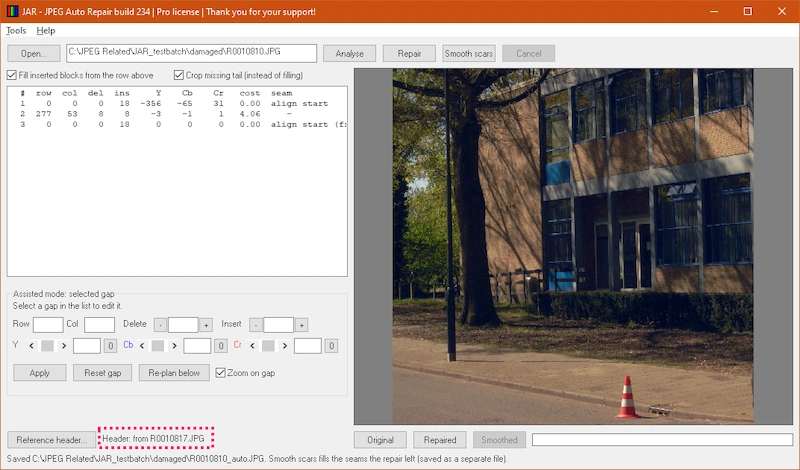
- See before you save: compare the original and the repair side by side.
- Fix one spot by hand: if the automatic repair gets a spot wrong, correct it in assisted mode and keep the rest. See [Fix a shifted or discoloured band by hand](link to guide 2).
- Smooth the scars: fill the seams a repair leaves with texture from around them, as a separate file you can compare.
- Your original stays untouched: every result is saved as a new file next to it.
No account, no subscription
Download JAR, unzip it and run it. No installation, no sign-up, no internet connection. A license is a one-time purchase, entered once and checked on your own PC. Your JPEG-Repair key works in JAR too.
FAQ
Does JAR really never connect to the internet? Yes. The repair, the trial and the license check all happen on your computer. Help > How to use JAR opens the help page in your own web browser; JAR itself doesn’t go online.
Can I repair photos on a computer without internet? Yes. Copy JAR onto that computer (a USB stick will do) and run it.
Do I have to buy before I know it works? No. The trial shows the complete repair on screen and saves a scaled-down copy, so you can judge your own photo first.
Which photos can JAR repair? Photos with grey areas, shifted bands or wrong colours, photos that won’t open because of a damaged header, and photos hit by STOP/Djvu ransomware. See [How to repair a corrupted JPEG photo](link to guide 1) and [Can my photo be repaired?](link to guide 4).