“File appears to be damaged, corrupted or is too large”? A damaged header stops a JPEG from opening. Repair it with JAR, or take the header from an intact photo.
Quick answer: When a JPEG won’t open at all, or shows only garbage, the damage is often in its header: the small part at the start of the file that tells a viewer how to read the picture. JAR repairs many damaged headers by itself. When it can’t, it uses the header of an intact photo from the same camera, a reference file, and repairs the rest of the photo from there.
Error messages you may see
- Windows Photo Viewer: “Windows Photo Viewer can’t open this picture because the file appears to be damaged, corrupted, or is too large.”
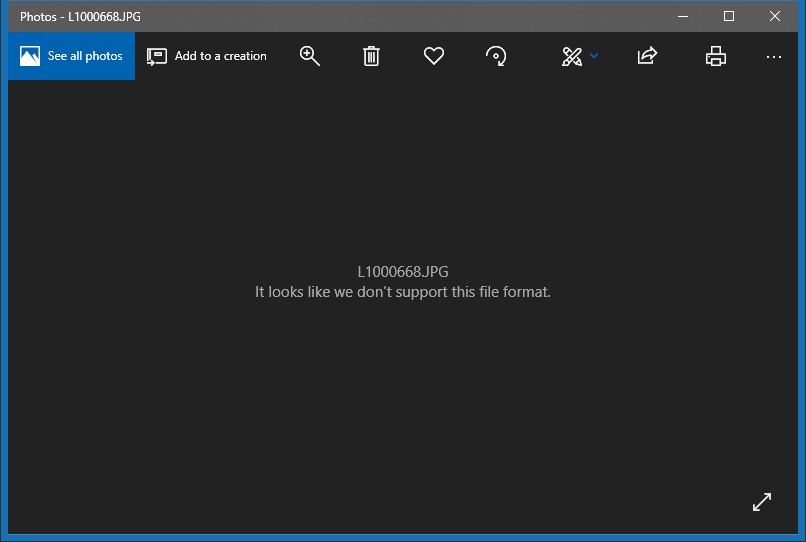
- Windows Photos: “It looks like we don’t support this file format.”
- Photoshop: “Could not complete your request because a JPEG marker segment length is too short (the file may be truncated or incomplete).”
- Photoshop: “Could not complete your request because an unknown or invalid JPEG marker type is found.”
- Photoshop: “Could not complete your request because a SOFn, DQT, or DHT JPEG marker is missing before a JPEG SOS marker.”
- Lightroom: “The file appears to be unsupported or damaged.”
- macOS Preview: “The file could not be opened. It may be damaged or use a file format that Preview doesn’t recognize.”
- Windows Explorer shows a generic icon instead of a thumbnail.
A photo that is garbage from top to bottom, or full of shifted, discoloured bands, can have a damaged header too: sometimes just a few wrong bytes.
Step 1: let JAR try by itself
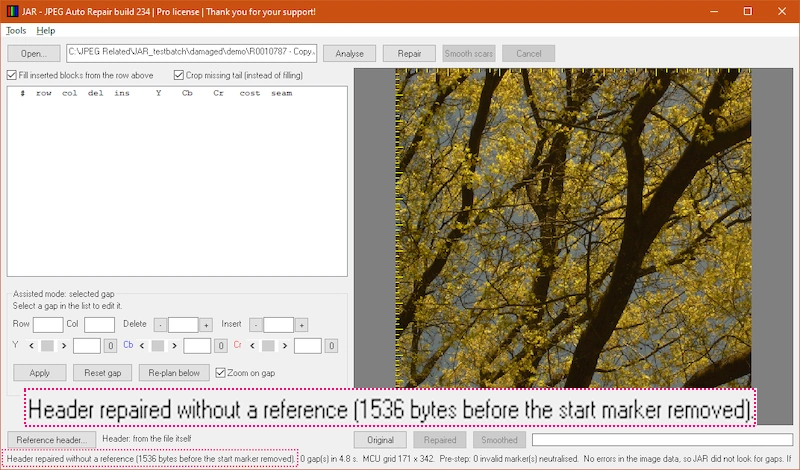
- Open the photo in JAR and click Analyse.
- If JAR repairs the header, the status line starts with Header repaired without a reference. Click Repair.
Step 2: use a reference file
If the damage is too big, JAR asks for a reference file.
- Find a reference. An intact photo taken with the same camera, ideally at the same size and quality setting, from the same card or the same day.
- Choose it. Click Yes when JAR asks, or choose it beforehand with Reference header…. The header line now says Header: from followed by the reference’s name.
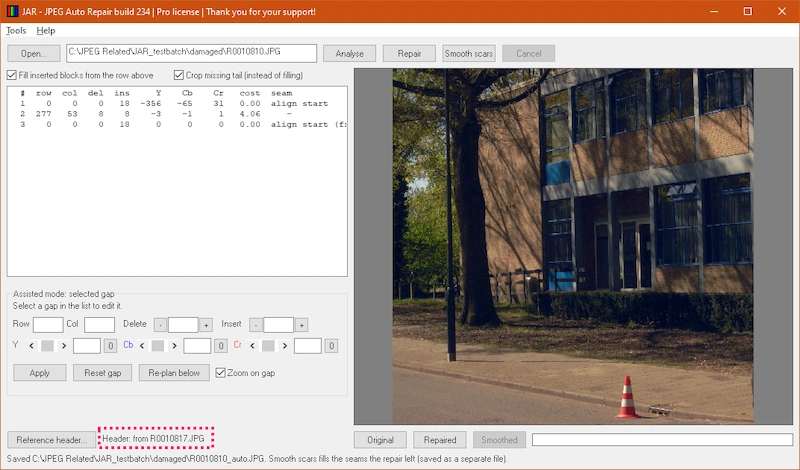
- Click Analyse, then Repair. JAR takes the header from the reference and repairs the rest as usual.
If the reference is from another camera, JAR says so instead of producing garbage. Choose one from the right camera.
When the start of the picture is gone too. If the damage reached into the picture itself, its first rows are lost. JAR fills them and estimates the brightness and colour; you can adjust them in assisted mode.
Too flat or too harsh? A reference saved at another quality makes the repair look flat or harsh. Set the factor with Tools > Contrast of the original….
Diagonal stripes? The size in the header is wrong. JAR corrects swapped width and height by itself; for a wrong width, choose Tools > Check the width….
Photos hit by ransomware
Some ransomware, such as STOP/Djvu, encrypts only the start of each photo and adds its own extension (photo.jpg.abcd). That is a destroyed header, and the rest of the photo is still there. JAR recognises such files, asks for a reference file, and repairs them. With a Pro license, a whole folder at once.
FAQ
Where do I find a reference file? Any intact photo from the same camera. The closer in time and settings, the better.
The photo still won’t repair. Is it lost? Not necessarily. First check whether there is image data in the file at all: see [Can my photo be repaired?](link to guide 4).
Does it work for photos from phones? Yes, the same way: use a reference photo from the same phone.